How to Choose a UV Digital Printing Machine
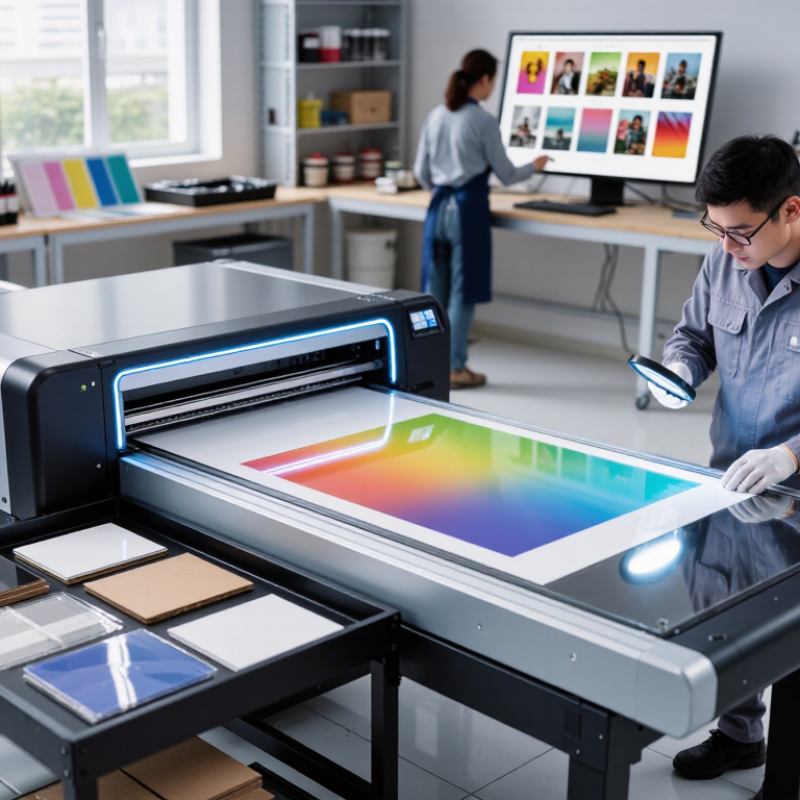
Choosing a UV Digital Printing Machine is not simply a matter of comparing price tags or print speeds. The right choice depends on what you print, how often you run jobs, and which materials your workflow requires. A small sign shop handling acrylic panels has different needs from a packaging studio producing short runs on coated stock. Those details matter. Before comparing models, note your typical substrate sizes, image-quality requirements, daily volume, and available floor space. Ask vendors to demonstrate your own files on your own materials, not only polished samples prepared for a showroom. Inspect fine text, solid-color areas, white ink coverage, and the edges of small lettering. Print quality can vary by substrate.
Also examine the curing system, ink availability, software compatibility, maintenance routine, and technical support. A fast machine may still be a poor fit if setup takes too long or cleaning interrupts production. Think beyond the purchase price. Include installation, training, consumables, downtime, and reprints in your comparison. If possible, speak with current users who print similar products and ask what they would change about their setup. Their experience can reveal practical concerns that a specification sheet may not show. Even careful research cannot predict every production challenge; that is worth acknowledging. A machine that works well in a demonstration may behave differently during a full shift. Use clear criteria, test real jobs, and leave room to reassess your assumptions before making a commitment.
Understand the Main Types of UV Digital Printing Machines
UV digital printers mainly fall into three formats: flatbed, roll-to-roll, and hybrid. A flatbed holds rigid sheets on a vacuum table, making it suitable for signs, panels, and display boards. Roll-to-roll machines feed flexible media such as film, banners, and wallpaper through the printer. Hybrids handle both, but changing between media can take time. That matters.
The broader market is growing, though it is not a UV-only measure. Grand View Research valued the global digital printing market at US$36.08 billion in 2023 and forecast a 6.2% compound annual growth rate from 2024 to 2030. Use that figure as context, not proof that every UV format is expanding at the same pace. Machine choice still depends on what you print, how often, and how much setup your team can manage.
Check working dimensions against real jobs, not just the largest item you might print once. For flatbeds, inspect table size and loading access; a heavy panel can be awkward to position. For roll-fed work, ask about media tension and winding consistency. Hybrid systems offer flexibility, but flexibility can mean compromises in speed or handling. I would test a typical job and an awkward one before deciding. Specifications look neat on paper. Real media doesn’t always.
How to Choose a UV Digital Printing Machine
Understand the Main Types of UV Digital Printing Machines
Flatbed printers are designed mainly for rigid sheets, roll-to-roll printers for flexible media, and hybrid printers for both. Ratings are a general, qualitative guide—not standardized specifications. Check each machine’s configuration and material limits before choosing.
Match Printer Size and Configuration to Your Materials
Choose the print bed around the largest material you regularly use, not a sheet you might buy someday. Measure its usable width and length, then allow room for clamps, registration marks, and loading. A 1.2-by-2.4-metre panel needs more than a bed with matching nominal dimensions. Check edge margins and operator reach. Small details matter.
FESPA’s 2023 Print Census gathered responses from more than 1,700 print businesses in 120 countries. That broad sample reflects varied production needs, not one ideal machine size. For rigid boards, check maximum thickness, vacuum zones, and loading access. For rolls, match width and media tension to banners, films, or textiles. A hybrid configuration may save floor space, but switching setups can slow short jobs. Measure your actual workflow.
Check space around the printer too, including service access and room to turn sheets. A wider bed can seem future-proof, yet unused capacity still takes up floor space. Your estimate may not be perfect. Track awkward oversize jobs for a month before choosing.
Compare Print Quality, Speed, and Ink Compatibility
When comparing print quality, inspect the details that will appear in your actual work. Print a sample with fine text, smooth gradients, and solid color blocks on your intended material. Look closely for banding, fuzzy edges, and uneven white coverage. Small details matter. A high resolution figure alone does not guarantee a clean result; print mode, substrate, and curing settings also affect the finish.
Speed figures can be misleading. Ask whether the quoted rate uses a draft setting or a production-quality mode. Then time a realistic job, including loading, alignment, curing, and any required finishing. A machine that prints quickly but needs frequent adjustments may deliver fewer usable pieces per shift. Run a real test. Record both output and rejected prints, even if the results are less impressive than expected.
Ink compatibility deserves equal attention. Confirm that the ink is suitable for your materials, such as coated panels, glass, or flexible media, and check adhesion after curing. White ink or clear effects may add useful options, but they can also require extra passes and maintenance. Request a sample on your substrate and follow the supplier’s recommended test procedure. No single setup handles every surface equally well, so leave room for a few disappointing trials before committing.
Evaluate Operating Costs, Maintenance, and Support
A UV digital printing machine’s purchase price is only part of its cost. Compare quoted power consumption, ink use, lamp or LED life, filters, and scheduled service. The U.S. Energy Information Administration’s Electric Power Annual reported an average commercial electricity price of 12.74 cents per kilowatt-hour in 2023.
As a rough example, a 3 kW machine running six hours daily for 220 days would use about 3,960 kWh, or roughly $505 at that rate.
Actual bills vary by location, duty cycle, and standby use. Small costs accumulate.
Ask suppliers to itemize routine maintenance and replacement parts, not just warranty coverage. Check how often printheads, filters, and curing components need attention, and whether operators can perform basic cleaning safely. Request realistic service response times and confirm which parts are stocked locally. A low service fee means little if production waits days for a component.
Compare support plans against the cost of downtime. For example, record the value of a typical production day, then ask how quickly remote troubleshooting and on-site visits are available. Industry benchmarks rarely capture your exact substrate mix or shift pattern, so treat generic cost estimates cautiously. A spreadsheet still misses something: the time spent diagnosing a clogged nozzle during a deadline. Before choosing, ask for a maintenance schedule and a sample service report, then check whether both match your shop’s actual workload.
Verify Safety, Installation, and Supplier Requirements
A UV digital printer is a workplace machine, not just a print-quality purchase. Smithers’ report, The Future of Digital Print to 2032, valued digital print at about $167.5 billion in 2022. It forecasts $230.5 billion by 2032. Growth makes careful equipment checks more important, not less. Ask the supplier for the machine’s photobiological safety documentation, including relevant IEC 62471 information. Inspect UV-lamp shielding and test that safety interlocks stop exposure when a cover opens. Review ink safety data sheets and confirm suitable ventilation for the planned workspace.
Installation details matter. Measure doorways, floor space, and service access before delivery; a machine that fits the room may still block maintenance. Confirm electrical supply, exhaust needs, temperature limits, and humidity range in writing. Request a site-readiness checklist and an installation plan that identifies who handles connections, calibration, and acceptance testing. A vague promise to “help install” is not enough. I would also ask how operators are trained and how quickly common replacement parts can be supplied.
Tips: Ask for a written warranty, response-time commitment, and operator-training scope. Photograph the installation area and record the first test print. Small checks help, though they cannot replace a proper risk review. If the supplier’s answers conflict with the manual, pause and get clarification before signing off.