

Tayco Office Furnishings Inc.
400 Norris Glen Rd.
Toronto, ON M9C 1H5
T: (416) 252-8000
T: (800) 675-4092
F: (416) 252-4467
[email protected]
Tayco Office Furnishings Inc.
400 Norris Glen Rd.
Toronto, ON M9C 1H5
T: (416) 252-8000
T: (800) 675-4092
F: (416) 252-4467
[email protected]
Choosing an Integrated Smart Home system is no longer a luxury decision. It affects comfort, energy use, privacy, and daily reliability. A connected door lock, thermostat, camera, and lighting system should work together without forcing users through four different applications.
Industry data shows why careful selection matters. IDC’s Worldwide Smart Home Device Tracker continues to report strong growth in connected devices, while Parks Associates identifies interoperability and professional support as major purchase concerns. Statista Market Insights also forecasts sustained global smart home revenue growth through the decade. More devices are entering homes. Integration quality remains uneven.
Nest co-founder Tony Fadell once said, “The best technology is the technology you don’t know is there.” That principle should guide every evaluation. A good system responds when needed, then stays quietly in the background. Check Matter compatibility, local control options, software update policies, and data encryption. Test the system with a weak internet connection. That detail matters.
Look beyond attractive dashboards. Ask whether the company offers dependable technical support after installation. Examine subscription fees, replacement costs, and device lifespan. A beautiful system can become expensive quickly. Security should receive equal attention. Strong passwords, multi-factor authentication, separate guest access, and regular firmware updates are practical safeguards.
This guide presents ten tips for choosing an Integrated Smart Home system. Some recommendations are straightforward. Others require honest compromise. No platform is perfect, and compatibility claims can change. The right choice depends on your home, routines, budget, and tolerance for maintenance. Think carefully before buying the ecosystem.
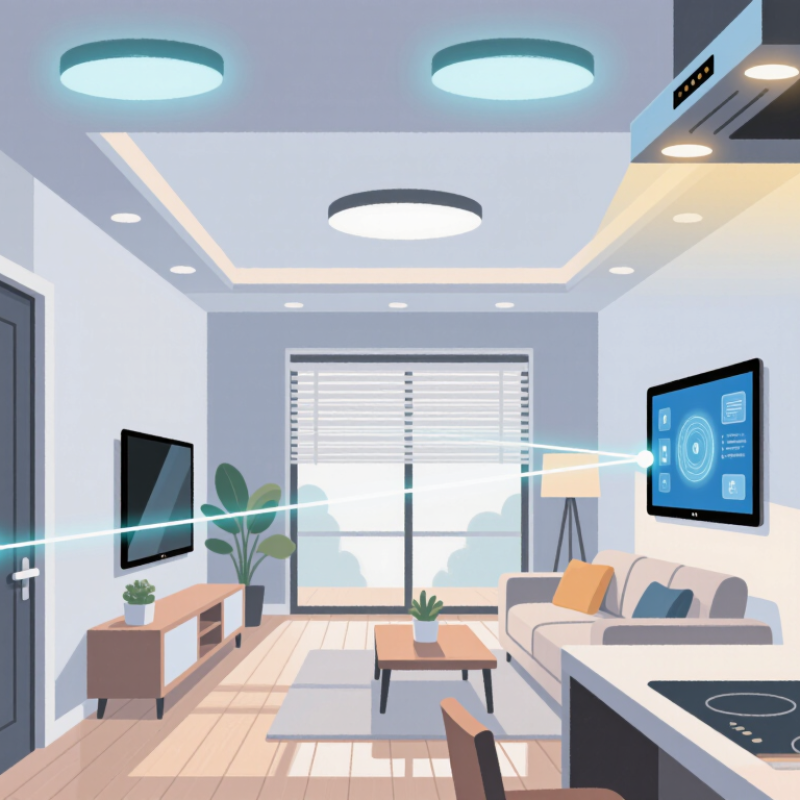
Define your smart home goals before buying devices. Do you want safer entry, lower energy bills, or easier mornings? Write three daily frustrations, such as lights left on, forgotten locks, or uneven heating. The U.S. Department of Energy reports that smart thermostats can save households about 8% on heating and cooling costs. Your results may differ. Older homes, poor insulation, and confusing schedules can reduce savings.
Tip: Match automation to real routines. Set hallway lights to fade on at 6:30 a.m., or pause heating when everyone leaves. Keep manual controls available. A home should not become a puzzle at midnight. Parks Associates’ 2024 research shows that smart home adoption continues to expand, yet households often manage devices through separate systems. Choose an integrated platform that connects lighting, security, climate, and sensors through clear rules. Test one room first.
Tip: Design for reliability, privacy, and recovery. Check whether automations work during internet outages. Review data permissions and use strong, unique passwords. The National Institute of Standards and Technology recommends secure update processes and device identity management for connected products. That guidance matters when a door sensor records daily patterns. I once treated every possible automation as useful. It was not. Too many alerts made important warnings easier to ignore. Start with two dependable scenes, measure their value for a month, and revise the plan.

10 Tips for Choosing an Integrated Smart Home System
Check Device Compatibility, Standards, and Platform Support
A smart home system should connect more than one device category. Check lights, locks, sensors, thermostats, cameras, and voice controls before purchasing. I once tested a sensor that paired easily but lost functions after integration. Compatibility is not always binary.
Read the supported protocols carefully. Wi-Fi suits many high-bandwidth devices, while Thread, Zigbee, and Z-Wave can support low-power sensors. Matter may improve cross-platform communication, but features can vary between devices. Look for official certification and current firmware requirements. Also check whether the system supports local control when the internet fails. That detail matters.
Test before expanding.
Confirm platform support across phones, tablets, and shared household accounts. Review update policies, security controls, data permissions, and API access. A closed system may feel simple today but limit future choices. An open system may offer flexibility but require more troubleshooting. I prefer clear documentation, stable software, and repairable settings over impressive feature lists. Still, my own assumptions have been wrong; a device advertised as compatible may support only basic commands. Create a small test setup first, then verify automations, response times, and recovery after a power outage. Keep screenshots of settings and record firmware versions. Small records prevent larger confusion.
| No. | Evaluation Dimension | What to Check | Why It Matters | Practical Recommendation |
|---|---|---|---|---|
| 1 | Device Compatibility | Confirm that lights, locks, sensors, thermostats, cameras, and appliances support the same controller or integration method. | A device may be marketed as “smart” but still lack support for the selected automation platform. | Review the system’s official compatibility list before purchasing hardware. |
| 2 | Connectivity Standards | Check support for widely adopted standards such as Wi-Fi, Bluetooth Low Energy, Zigbee, Z-Wave, Thread, and Matter. | Standards affect interoperability, range, power consumption, reliability, and future device choices. | Prefer systems that support multiple relevant protocols or use certified bridges where necessary. |
| 3 | Platform and Operating System Support | Verify compatibility with the household’s mobile operating systems, web browsers, tablets, and voice-control options. | Every resident should be able to control and manage the system without using a single device type. | Check current app requirements, supported operating-system versions, and accessibility features. |
| 4 | Local and Cloud Control | Determine which functions operate locally and which require an internet connection or remote server. | Local control can keep essential automations working during internet outages and may reduce response delays. | Choose local operation for safety-related routines, while using cloud access for remote monitoring when appropriate. |
| 5 | Automation Capabilities | Look for schedules, scenes, triggers, conditions, notifications, occupancy detection, and device-to-device actions. | Strong automation reduces manual control and allows devices from different categories to work together. | Test whether the system can combine time, sensor, presence, and environmental conditions in one routine. |
| 6 | Security and Privacy | Review encryption, account protection, multi-factor authentication, permission controls, update policies, and data-retention settings. | Smart home systems may process location, activity, video, audio, and access-control data. | Enable multi-factor authentication, use unique passwords, and install firmware updates promptly. |
| 7 | Network Requirements | Assess wireless coverage, router capacity, frequency bands, wired connections, and the number of devices the network must support. | Poor coverage or network congestion can cause missed commands, delays, and unreliable automations. | Map coverage areas and consider a properly configured mesh network or wired connection for fixed equipment. |
| 8 | Scalability and Interoperability | Check whether new devices, rooms, integrations, and user accounts can be added without replacing the central controller. | A scalable system protects the initial investment and avoids dependence on a closed ecosystem. | Prefer open standards, documented integrations, and products with long-term update support. |
| 9 | Installation and Usability | Evaluate setup steps, pairing methods, dashboard clarity, notifications, user roles, and troubleshooting tools. | A technically capable system has limited value if household members cannot configure or operate it easily. | Choose clear interfaces and test common tasks before completing a large installation. |
| 10 | Cost, Maintenance, and Longevity | Calculate hardware, installation, subscriptions, replacement batteries, energy use, and future upgrade costs. | The purchase price alone does not represent the total cost of operating an integrated system over time. | Compare five-year ownership costs and confirm the expected support period before making a decision. |
10 Tips for Choosing an Integrated Smart Home System
A smart home should protect your daily routines, not expose them. During a home installation, I noticed how quickly one weak device affected every connected room. Check whether the system uses encrypted communication between sensors, hubs, and mobile applications. Ask how passwords are stored and whether multi-factor authentication is available. Small details matter. A camera facing a bedroom needs stricter privacy controls than a smart lamp. Review recording settings, microphone access, and user permissions before installation. Disable features you do not need.
Privacy policies deserve careful reading. Look for clear information about collected data, storage locations, retention periods, and deletion requests. The provider should explain whether data is shared with service partners. Vague language is a warning sign. Independent security audits, recognized security standards, and a documented vulnerability reporting process add credibility. However, a certificate alone proves little. Check its date and scope. Data protection laws may also differ across regions, so local requirements should be verified.
Reliability is more than a fast app. Test the system when the internet connection fails. Can locks, alarms, or lights still perform essential functions locally? Ask about software updates, support response times, and replacement procedures. A battery warning should appear before midnight, not after failure. I prefer systems with clear logs showing access, alerts, and device status. Even then, no system is perfectly secure. Review permissions every few months, because convenience can quietly become excessive access.
Suggested evaluation priorities for security, privacy, reliability, and data protection
The chart uses a practical 100-point evaluation model. Strong authentication, regular security updates, local control, encrypted communication, transparent data practices, and dependable operation should receive the greatest attention when comparing integrated smart home systems.
Installation affects reliability more than flashy features.
Wired connections suit new builds and fixed devices, such as lighting panels and security sensors. Wireless systems install faster, especially in finished homes. However, thick walls and crowded networks can weaken signals. A hybrid design often works best. Ask for a room-by-room installation plan, not a vague package quote. Confirm installer qualifications, testing procedures, and future service terms. I once underestimated cable access during renovation, and the extra labor was painful.
Scalability deserves careful checking. Choose a system that supports widely used communication standards and local control. Confirm its gateway capacity before adding cameras, locks, or climate sensors. Ask whether devices from different manufacturers can work together. Also check software update policies. Some systems appear flexible but require expensive replacement hardware later. Keep a written expansion plan.

Ongoing costs are easy to overlook.
Compare equipment prices, installation labor, subscriptions, electricity use, battery replacement, and technical support. Cloud recording may create monthly charges. Local storage can reduce fees but may require maintenance. Request a three-year cost estimate from the installer. Include network upgrades and emergency visits. Cheap today can age badly. My own preference is not always the cheapest option, because dependable support has real value. Still, every extra feature should earn its place.
Choosing an integrated smart home system begins with daily experience, not a glossy specification sheet. Ask whether the app feels clear at 7 a.m. Can a guest adjust lights without a tutorial? During testing, I check setup time, voice accuracy, scene editing, and response speed. A hallway light should react before footsteps reach the stairs. Small delays become irritating habits. I also test failure moments. What happens when Wi-Fi drops? A reliable system should offer local controls or clear recovery steps, although some platforms explain this poorly.
Support services deserve the same practical testing. Read installation guides before purchase. They reveal whether the provider understands real homes. Contact support with a simple technical question and record the response time, clarity, and ownership of the problem. Useful support should provide trained humans, searchable documentation, firmware guidance, and safe replacement procedures. Promises are easy. Actual follow-through matters more. Ask about installer training, service coverage, and update policies. A low initial price can become expensive when every fault requires a paid visit.
Long-term performance is harder to judge from a showroom demonstration. Request evidence from several years of operation, not only launch claims. Check whether updates preserve existing routines, sensors, and access permissions. Look for overheating, battery decline, connection errors, and discontinued hardware. My own testing would include a winter outage and a busy evening with many devices active. That is not a perfect forecast. Homes differ. Still, repeated tests expose weak integration faster than a polished demo. Keep a written device list and review it annually, because forgotten dependencies often cause the most confusing failures.